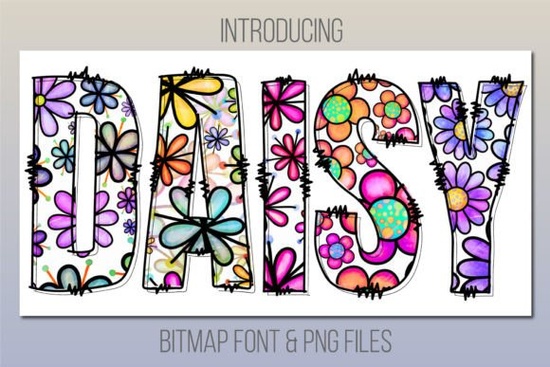
If you are looking for a typeface that brings instant cheer to your projects, Daisy Font delivers exactly that. It is a playful, daisy-print color font designed to add a lighthearted touch to invitations, packaging, social graphics, and print-on-demand merchandise. Unlike standard black-and-white typefaces, this one comes pre-colored with a cheerful floral pattern baked directly into each letter. You get consistent, ready-to-use artwork without spending hours manually filling or masking shapes.
What makes a bitmap color font different from regular typefaces?
Most downloadable fonts are vector-based, letting you scale them infinitely and change colors with one click. A bitmap color font works differently. Each character is a high-resolution image mapped to a keyboard key. The trade-off is straightforward: you keep the exact texture and pattern the designer intended, but you cannot recolor the letters or stretch them beyond their native resolution. For projects where a specific illustrated look matters more than infinite scaling, this format saves time and keeps your layout consistent.
Which design software actually supports it?
Color fonts require specific program versions to display properly. You will need Photoshop CC 2017, Illustrator CC 2018, InDesign CC 2019, or newer releases. Mac users can also run it natively in Font Book, Pages, and Keynote. If you work primarily in Cricut Design Space, keep in mind that the platform does not support bitmap color fonts. That limitation is common across most browser-based cutting software, so planning your workflow ahead of time prevents frustration.
When you browse through other playful typeface collections, you will notice that compatibility notes are usually listed upfront. Checking those details before you start a project helps you avoid last-minute format switches.
What if my program doesn’t support color fonts?
You do not need to upgrade your software to use this design. The download includes a bonus folder filled with individual PNG files for every character. These transparent images work in virtually any editor, including Canva, Silhouette Studio, Procreate, and older Adobe versions. Simply drag and drop the letters you need, arrange them manually, and export your layout. It takes a few extra minutes compared to typing directly, but the final result looks identical.
For crafters who prefer cutting machines, the PNG workaround is especially useful. You can import the letters into your preferred app, trace or print them, and apply them to stickers, tote bags, or nursery decor. If you enjoy experimenting with different thematic styles, you might also like how seasonal display lettering can shift the mood of a layout while following the same drag-and-drop process.
Where does this style work best?
The daisy pattern shines in projects that call for a warm, approachable vibe. Here are a few practical applications that tend to perform well:
- Print-on-demand products: T-shirts, mugs, and tote bags with short, cheerful phrases stand out in crowded marketplaces.
- Event stationery: Baby showers, spring birthdays, and garden party invitations benefit from the built-in floral texture.
- Social media templates: Blog headers, Pinterest pins, and Instagram story covers grab attention without requiring complex layering.
- Small business branding: Bakery labels, candle tags, and handmade product packaging feel more personal with illustrated lettering.
Because the letters already carry visual weight, pair them with a clean, simple sans serif for body text. That contrast keeps your layout readable and prevents the design from feeling cluttered.
How do I get started and avoid common mistakes?
Before you install anything, verify your software version and decide whether you will use the live font or the PNG bonus files. If you choose the live font, install it through your operating system’s font manager, restart your design program, and select it from the type menu. If the letters appear as black silhouettes, your software either does not support color fonts or needs a quick update. Switch to the PNG folder in that case.
When you are ready to explore the full library and check licensing details, you can view Daisy Font directly on the marketplace. Always review the commercial license terms before listing finished products for sale, especially if you plan to use the design on physical merchandise or digital templates.
Quick next steps before you design:
- Confirm your software version matches the compatibility list.
- Test a single word in your program to see if the color renders correctly.
- Switch to the bonus PNGs if your editor shows only black outlines.
- Pair the display letters with a neutral body font for better readability.
- Check the license file to confirm commercial use rules for your specific project.
Keep your file structure organized, save a master template with your preferred letter spacing, and you will be able to reuse the layout across multiple products without starting from scratch each time.
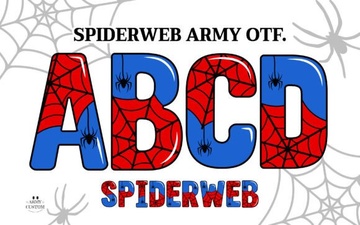 Spiderweb Army Font: Free Gothic Download & Usage Guide
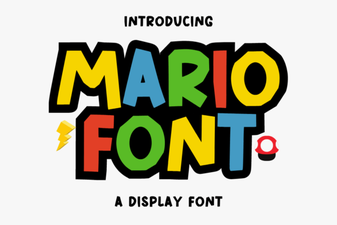 Custom Mario Font Design & Creative Projects
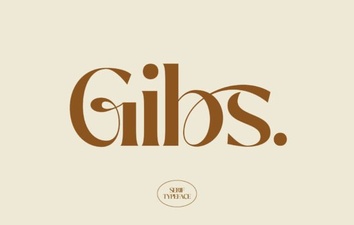 Gibs Font: Creative Projects & Typography Ideas
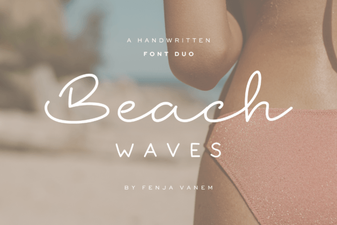 Beach Waves Duo Font for Typography Projects
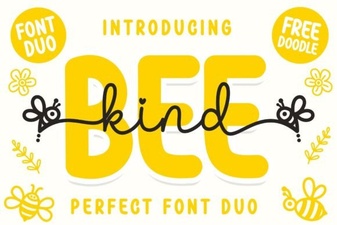 Bee Kind Duo Font: Perfect Pair for Creative Projects
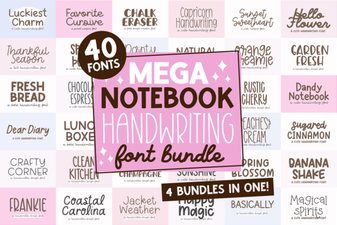 Digital Notebook Fonts for Handwriting & Creative Projects